
Top Industrial Panel Computer Manufacturers Worldwide

An Industrial Panel Computer brings computing, display, and operator controls into one unit. On a factory floor, that integration matters. A touchscreen beside a packaging line may face vibration, dust, temperature swings, and long shifts. The enclosure and connectors matter as much as the processor. So does the clarity of the display under bright overhead lights.

Computer scientist Richard Hamming’s well-known maxim is, “The purpose of computing is insight, not numbers.” Applied to industrial panel computers, it is a useful reminder: specifications only matter when they support reliable decisions and daily work. This overview examines manufacturers worldwide through practical criteria, including operating temperature, ingress protection, screen options, processor platforms, mounting choices, and long-term product availability. Those details can shape maintenance costs and system compatibility more than a headline performance figure.

No shortlist is perfect. A model that suits a clean control room may be a poor fit near washdown equipment. A lower purchase price may also conceal limits in service life or expansion options. Buyers should verify each specification against the actual environment and application, rather than relying on broad product labels. That takes time. The following manufacturer overview offers a starting point, not a substitute for checking datasheets, support terms, and installation requirements. Even careful comparisons leave room for judgment—and sometimes, for a second look.
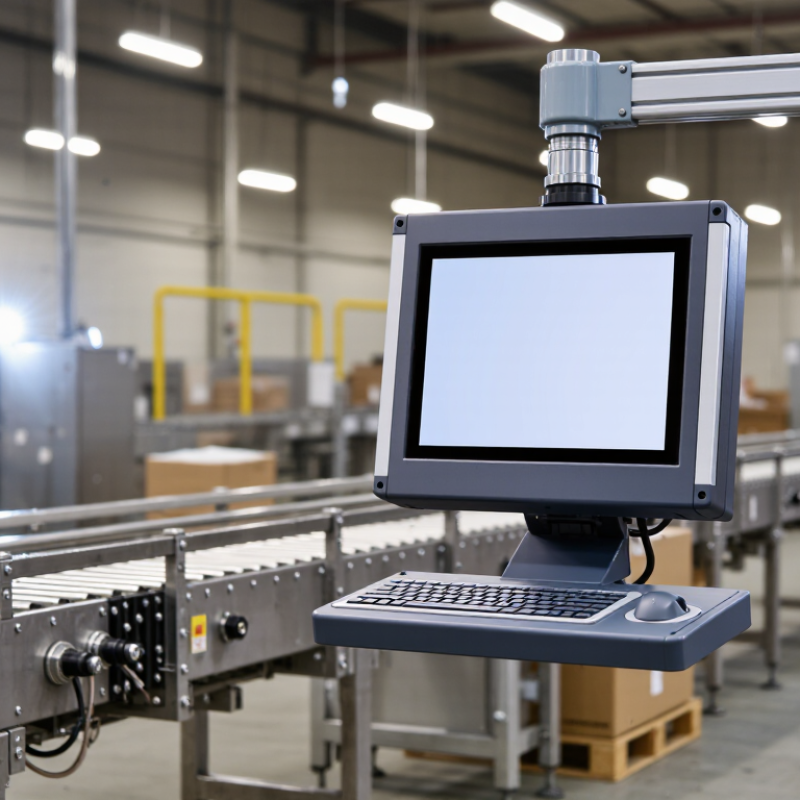
Top Industrial Panel Computer Manufacturers Worldwide

What Industrial Panel Computers Are and How They Are Used

An industrial panel computer combines a computer and a touchscreen in one enclosure. It gives operators a direct view of machine status, alarms, and production controls. On a factory floor, that might mean checking a filling line’s temperature with gloved hands, then acknowledging an alert at the same station. Many models use sealed front panels, wide-temperature components, and interfaces for sensors or control equipment. These features help them withstand dust, vibration, and long operating shifts. They are not automatically suitable for every environment; heat, washdown, and mounting conditions still matter.

Their role is usually human-machine interaction, not replacing the machine’s controller. A panel computer can display live production data, let staff enter settings, and help technicians diagnose faults. The scale of automation makes that interface increasingly practical: the International Federation of Robotics reported 4,281,585 industrial robots operating worldwide in 2023, in its World Robotics 2024 report. More automated equipment means more points where people need clear, timely information. That matters. A cluttered screen or poorly placed panel can slow a response, even when the hardware is rugged. Selection should account for screen readability, glove use, connectivity, software support, and access for maintenance. The uncomfortable detail is that a durable computer cannot fix unclear workflows. Teams should test the interface at the actual workstation, under real lighting and noise conditions.

Core Features and Technologies of Industrial Panel Computers

Industrial panel computers combine a display, touch interface, and computing hardware in one enclosure. Their value depends on how reliably those parts work together on a production floor. A resistive touchscreen can respond to gloved hands, while projected capacitive touch often feels smoother. The right choice depends on operators, not fashion. Dust matters.

Brightness and viewing angle affect readability beside windows or overhead lights. A screen rated for outdoor visibility may still reflect a nearby lamp, so check it in the intended position. Enclosure ratings help describe resistance to dust and water, but installation details matter too. Cable glands and exposed connectors can become weak points.

Inside, fanless cooling reduces moving parts, yet heat is stubborn. A sealed unit may throttle during continuous data logging if airflow around its case is poor. Check processor performance, storage type, and operating temperature against the actual workload. Industrial SSDs can tolerate vibration better than many mechanical drives, but backups remain essential. Useful connections may include Ethernet, USB, serial ports, and fieldbus interfaces. Confirm that the required ports are available without adapters.

Power input tolerance, surge protection, and electromagnetic compatibility deserve attention near motors and drives. A long product lifecycle can simplify maintenance, though replacement parts are never guaranteed. No specification sheet captures every shift change or cleaning routine. A brief trial with real gloves, cables, and software often reveals overlooked limits.

Criteria for Evaluating Global Panel Computer Manufacturers

A global panel computer manufacturer should be evaluated against the conditions its equipment will actually face. Ask for operating-temperature ranges, vibration test methods, and ingress-protection details—not just a headline rating. Check whether the touchscreen works with gloves and remains readable under bright factory lighting. It matters.

Compare processor and memory options with the software’s real workload. Review available ports, mounting dimensions, and replacement-part availability. A unit that fits the panel but lacks a needed serial connection can create costly redesigns. Request lifecycle and repair policies in writing, including how long compatible components are expected to remain available.

IDC’s 2024 Worldwide Edge Spending Guide forecast global edge-computing spending of $232 billion in 2024, up 15.4% from 2023. This is useful market context, not proof of any supplier’s reliability. For each manufacturer, examine documented quality processes, warranty terms, technical-support coverage, and evidence of testing against relevant industrial standards. Ask for sample test reports and clarify who performed the tests. A polished specification sheet can still leave gaps. No scorecard catches every plant-specific failure. Use a pilot installation to check heat, glare, network stability, and cleaning routines before standardizing a model across sites.

Top Industrial Panel Computer Manufacturers Worldwide - Criteria for Evaluating Global Panel Computer Manufacturers

Use this framework to compare manufacturers without assuming that any one supplier meets every requirement. Score each criterion from 1 (limited or insufficient evidence) to 5 (strong, well-documented evidence); calculate the weighted result as score ÷ 5 × weight. Confirm product-specific claims with current documentation and test reports.

Evaluation Criterion Weight What to Evaluate Evidence to Request or Verify
Product Range and Configuration 12% Availability of different screen sizes, processor platforms, memory and storage options, mounting formats, and operating-system configurations relevant to the intended installation. Current product catalog, model datasheets, configuration options, and confirmation that the selected configuration is available.
Display and Touch Performance 12% Screen size and resolution, brightness, viewing characteristics, touch technology, and suitability for the expected lighting, gloves, moisture, and operator workflow. Datasheets listing display and touch specifications, operating instructions, and test results for any claimed sunlight-readable or glove-touch functionality.
Environmental and Mechanical Suitability 14% Specified operating and storage temperature ranges, enclosure protection, vibration and shock performance, cooling approach, and mounting requirements for the application. Model-specific environmental specifications and test reports. Where relevant, check the stated IP rating against IEC 60529 and review the exact test conditions and enclosure configuration.
Reliability and Product Lifecycle 12% Published reliability information, component and configuration consistency, warranty terms, repair arrangements, and plans for product change or end-of-life notification. Warranty document, lifecycle or change-notification policy, repair process, and clearly defined reliability data with its test conditions and scope.
Interfaces and Connectivity 12% Availability and placement of required wired and wireless interfaces, including network, USB, serial, display, and expansion connections where applicable. Port diagrams, interface specifications, supported wireless options, and confirmation that the required interfaces are present on the exact model and configuration.
Software, Security, and Manageability 10% Operating-system support, driver availability, update process, security maintenance, remote administration options, and compatibility with the customer's software environment. Supported OS and driver lists, security-update policy, management documentation, and compatibility testing for required applications and peripherals.
Safety and Regulatory Documentation 10% Whether the specific product configuration is suitable for the destination market and installation, with applicable safety and regulatory documentation available. Declarations, certificates, and test reports for the exact model and market. IEC 62368-1 may be relevant to certain ICT equipment; verify applicability rather than assuming it applies to every product.
Customization and Manufacturing Controls 8% Ability to support required mechanical, electrical, firmware, or branding changes, together with controls for configuration consistency and production changes. Customization scope, engineering-change process, sample approval procedure, and quality-system documentation relevant to the product and production site.
Global Service and Supply Support 6% Practical access to technical assistance, repairs, replacement parts, and supply information in the regions where the equipment will be installed. Support and repair contacts, service coverage details, escalation process, spare-parts information, and stated lead-time or availability terms.
Documentation and Claims Transparency 4% Clarity, completeness, and consistency of technical specifications, installation guidance, limitations, and product claims. Current manuals and datasheets, revision dates, installation instructions, and supporting evidence for material performance claims.
Total Evaluation Weight 100% Adjust the weighting to reflect the operating environment, application risks, and procurement requirements.

Profiles of Leading Industrial Panel Computer Manufacturers

Profiles of leading industrial panel computer manufacturers reveal more than product size or processor speed. Strong suppliers explain how their systems handle heat, vibration, dust, and continuous operation. Look for clear details on enclosure ratings, display brightness, touch technology, and supported operating systems. These specifications matter on a factory floor, where glare, gloves, and washdown routines can change daily use.

A useful profile also describes engineering and support. Check whether the manufacturer offers customization, long-term component availability, and practical repair guidance. Ask how products are tested, and request evidence for performance claims. A panel computer mounted beside a packaging line may face frequent vibration and temperature swings. It needs stable connections and a screen workers can read at an angle. A polished brochure is not proof. Independent test data and realistic service terms carry more weight, though some profiles leave these details unclear.

Tips: Compare the same specifications across suppliers. Ask for a sample unit and test it with your actual gloves, software, and mounting layout. Check cable access before installation. Small oversights can become annoying. Also confirm how firmware updates and replacement parts are handled over the equipment’s expected service life.

Market Trends and Future Developments in Industrial Panel Computing

Industrial panel computing is shifting from simple operator displays toward rugged edge-control hubs. The opportunity is supported by broader factory automation. The International Federation of Robotics reported 4.28 million industrial robots operating worldwide in 2023, up 10% year over year. More connected equipment means more demand for clear, responsive interfaces near production lines.

MarketsandMarkets estimated the industrial PC market at USD 5.3 billion in 2023, forecasting USD 7.3 billion by 2028. This is a useful indicator, though it covers more than panel computers alone. Buyers increasingly look for fanless designs, glove-compatible touchscreens, wide-temperature operation, and long product availability. Picture a bright display beside a packaging line, handling vibration and frequent cleaning without slowing operators. Edge processing is also gaining attention, as plants seek faster local decisions and reduced reliance on remote systems. Yet adding compute power can raise heat, cost, and maintenance demands. The trade-off is real. Future designs will need stronger security, easier upgrades, and efficient cooling, but progress may be uneven across older facilities.

Top Industrial Panel Computer Manufacturers Worldwide — Market Trends and Future Developments in Industrial Panel Computing

Industrial robot installations provide a measurable indicator of automation investment that can support demand for industrial panel computers. They are a market context indicator, not sales data for panel computers.

Source: International Federation of Robotics (IFR), World Robotics reports. Figures are annual global installations.

Certified Quality System

© North Easton Machine Company, Inc. All rights reserved. • Site: Blog
NORTH EASTON MACHINE • 218 Elm Street • North Easton, MA 02356 • 508-238-6219