How to Choose a Dashboard Instrument for Your Vehicle?
Choosing a Dashboard Instrument is not just a styling decision. It affects how clearly you can read speed, engine temperature, fuel level, and warning signals while driving. Start by identifying what your vehicle needs: a replacement instrument cluster, an added gauge, or a digital display. Check the vehicle’s year, model, engine, wiring, and sensor requirements before comparing products. A gauge that looks suitable may not provide readings your vehicle can support.
Readability matters in ordinary conditions. Imagine checking the display on a bright afternoon, then again on a dim road at night. Look for clear markings, sensible illumination, and warning indicators that are easy to recognize without lingering on them. Also consider fit, mounting depth, connector type, and whether installation requires changes to existing wiring. The vehicle’s owner’s manual and service information are useful references; when compatibility is uncertain, ask a qualified automotive technician.
Compare the information each instrument provides, not just its appearance or price. Check the manufacturer’s specifications, operating range, warranty, and calibration guidance. If a digital unit offers extra features, confirm that they work with your vehicle rather than assuming they will. More functions are not always more useful. A clean, simple display may suit daily driving better, though that depends on the driver and vehicle. There is no perfect choice for everyone. A careful match should be readable, compatible, and dependable—and it is worth pausing to verify the details before buying.
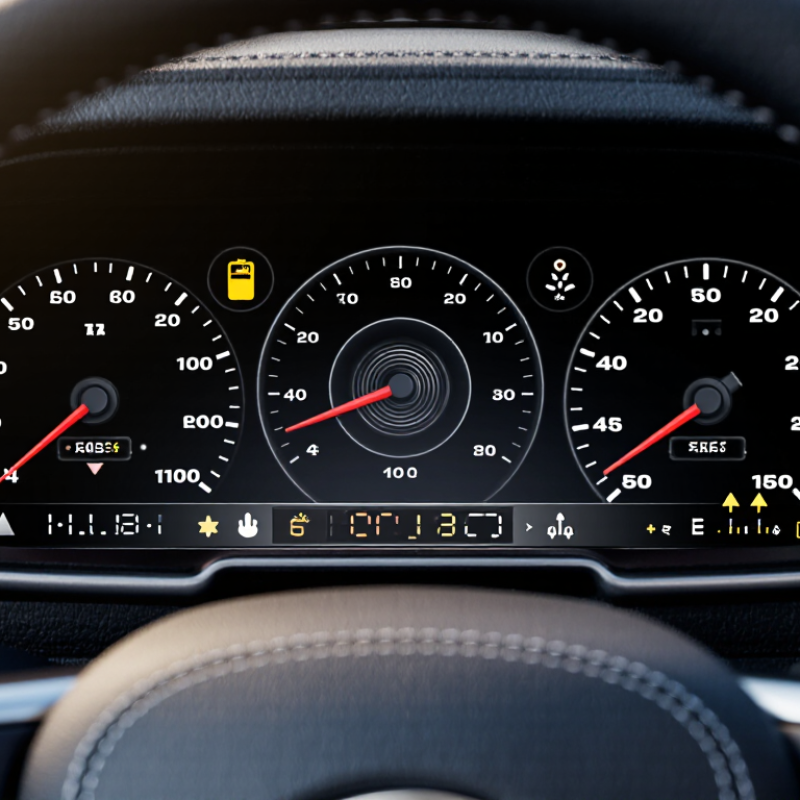
Identify the Dashboard Instrument Type Your Vehicle Needs
Identify the instrument type your vehicle needs before comparing appearance or price. A daily commuter may need a clear speedometer, fuel gauge, and warning lights. A vehicle used for towing or steep climbs may also benefit from readable coolant-temperature and oil-pressure readings. Check the original sensor signals, electrical system, mounting space, and units; a gauge that looks right can still give incorrect readings if it is incompatible.
S&P Global Mobility reported that the average age of U.S. light vehicles reached 12.6 years in 2024. For older vehicles, confirm whether the instrument works with existing senders or needs replacement sensors. NHTSA recorded 3,308 deaths in distraction-affected crashes in 2022. That figure does not show that dashboard instruments caused those crashes, but it reinforces the value of quick, clear readings. The agency’s driver-distraction guidance recommends keeping individual glances away from the road to two seconds or less.
Tips: Match the instrument to the job, then verify its signal type and calibration requirements. Sit in the driver’s seat and check whether labels remain readable in daylight and at night. Digital displays offer flexibility; analog gauges can be simpler to interpret. Neither is automatically better.
S&P Global Mobility, 2024 U.S. vehicle-age report; NHTSA, 2022 traffic-safety data and Visual-Manual Driver Distraction Guidelines.
Check Vehicle Compatibility and Installation Requirements
Before buying a dashboard instrument, confirm how it reads your vehicle’s data. Check the model year, engine type, and diagnostic connector against the instrument’s compatibility list. In the United States, the EPA requires onboard diagnostics in most light-duty vehicles from model year 1996 onward. That does not mean every instrument can display every signal: supported protocols and available data can differ. The SAE J1962 standard defines the familiar diagnostic connector, but connector fit alone is not proof of full compatibility. It is easy to miss.
Read the installation guide before choosing a mounting spot. Check cable reach, power needs, steering-wheel clearance, and whether the display blocks vents or essential gauges. A loose cable near the pedals is a poor trade for a tidy screen. AAA Foundation for Traffic Safety’s 2017 infotainment study reported that completing a navigation task took about 40 seconds on average. That finding is a useful reminder to set up menus while parked and favor clear, glanceable displays. If installation requires trim removal or unfamiliar wiring, consult a qualified technician. I would still verify the exact vehicle configuration with the seller; fitment lists can be imperfect, and model-year changes sometimes matter.
Compare Display Features, Sensors, and Measurement Range
How to Choose a Dashboard Instrument for Your Vehicle?
A dashboard instrument should make key readings easy to understand at a glance. Check display size, contrast, and backlighting in daylight and after dark. Large numbers help, but a cluttered screen can slow you down. Look for clear units and a simple warning indicator. Small details matter.
Compare the sensors with the readings you actually need, such as oil pressure, coolant temperature, or battery voltage. Confirm the sensor type and connection suit your vehicle before buying; compatibility is not always obvious from a product description. Then check the measurement range. A gauge that covers far more than your normal operating values may show less useful detail. One that is too narrow can hit its limit during ordinary driving. It is tempting to choose the widest range, but that is not automatically the best fit.
Tips: Match the range to your vehicle’s expected readings and leave room for unusual conditions. Check the manual for normal values. After installation, compare the display with a trusted reference when possible. A neat-looking reading is not proof of accuracy.
Assess Readability, Accuracy, and Build Quality
A dashboard instrument is useful only when its reading is easy to catch while driving. Check the dial or display from your normal seating position, not from inches away. At a glance. Look for clear markings, strong contrast, and a pointer that does not hide key numbers. Dim the cabin and view it in daylight; glare can turn a neat screen into a pale reflection. Make sure its size suits the available space without blocking other controls.
Accuracy matters more than a dramatic scale. Compare the instrument’s stated accuracy and operating range with the vehicle system it will monitor. Confirm the sensor type, units, and electrical requirements before purchase; mismatches can produce believable but wrong readings. If possible, compare its reading with a trusted diagnostic measurement under stable conditions. A gauge that responds slowly may also miss brief changes. Still, no single check proves long-term accuracy.
Inspect build quality where it counts: firm connectors, secure mounting points, sealed edges, and a lens that resists scratches. Heat, vibration, and dust can loosen weak fittings over time. Feel the controls, too; a button that is awkward with gloves may be frustrating in winter. I would not judge durability by weight alone. Some light housings are solid, while a polished finish can hide flimsy internals. Read the installation requirements carefully, and leave room for wiring bends behind the panel.
Review Power Needs, Calibration, and Maintenance
How to Choose a Dashboard Instrument for Your Vehicle?
Power, calibration, and upkeep matter more than screen size. Check the instrument’s voltage range and current draw against your vehicle’s electrical system. A 12-volt supply is nominal, not constant; cranking and charging can change the voltage. As a practical check, compare the unit’s input rating with the vehicle’s measured range. ISO 16750-2:2023 outlines electrical-load tests for road-vehicle equipment, including supply-voltage variations and transients. A bright display is no help if its readings jump when the engine starts.
Tips: Leave power headroom. Confirm the fuse rating. Verify sensor compatibility before installation.
Calibration needs deserve equal attention. A temperature gauge, pressure sensor, and speed display may each use different inputs and correction methods. Ask how readings are checked, whether calibration can be repeated, and what tools are needed. Small errors matter. A loose ground or corroded connector can also create misleading readings, so inspect wiring during routine service. SAE J1113 covers electromagnetic compatibility testing for vehicle components; it is a useful reference when assessing susceptibility to electrical interference. Still, standards do not guarantee a perfect installation. A neat-looking setup can be wrong if its sensor range does not match the vehicle. Recheck readings against a trusted reference after installation, and record any adjustments.
How to Choose a Dashboard Instrument for Your Vehicle
Check the instrument’s power requirements against your vehicle’s electrical system, then consider calibration and maintenance.
Power: These reference points show why an instrument should be compatible with the vehicle’s actual supply voltage. A fully charged lead-acid battery is about 12.6 V at rest; charging voltage varies by vehicle and conditions. Calibration and maintenance: Follow the instrument maker’s instructions, check readings against a trusted meter or scan tool, and inspect wiring and connectors periodically.



 Find Your Solutions ▶