How to Choose the Best UV Flatbed Printer for Your Business?
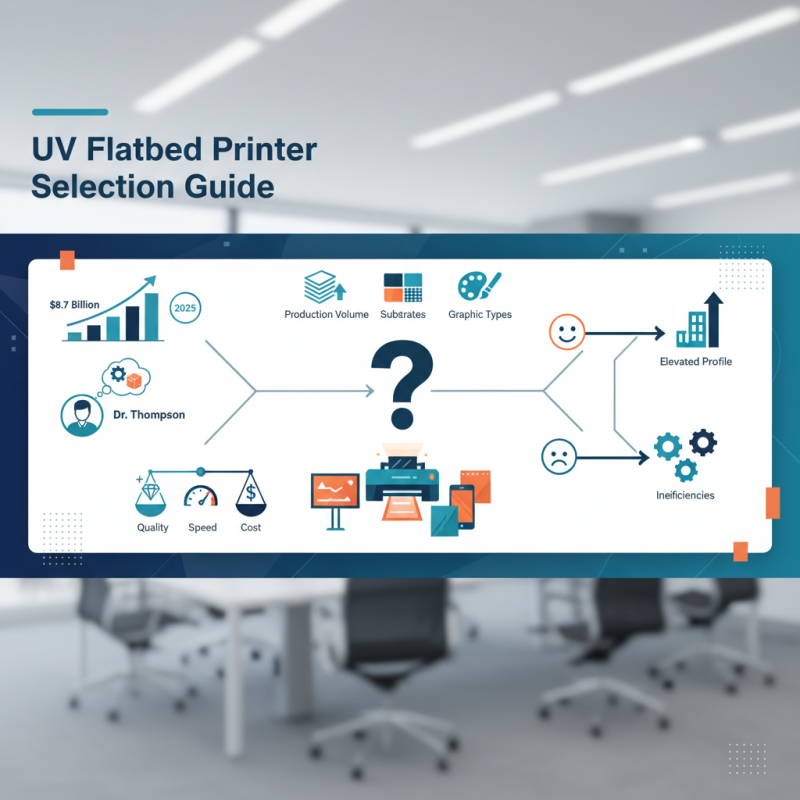
In the rapidly evolving printing industry, choosing the right UV Flatbed Printer for your business is critical. Recent reports indicate that the global UV printing market is expected to reach $8.7 billion by 2025, highlighting the increasing demand for high-quality prints. Industry expert Dr. Jane Thompson, a leading authority in printing technologies, notes, “Investing in a UV Flatbed Printer can transform your workflow and enhance product offerings.”
However, with numerous options available, making an informed decision can be challenging. Different models cater to various needs, from signage to textile printing. Each printer comes with distinct features that may not align with your business requirements. Reflecting on this, businesses must assess their production volume, the substrates they intend to print on, and the types of graphics they plan to produce.
It is also important to recognize that the perfect machine does not exist. Some businesses may overlook essential capabilities in their quest for the cheapest model. Balancing quality, speed, and cost is crucial. A well-chosen UV Flatbed Printer can elevate a business's profile, but the wrong choice could lead to operational inefficiencies.
Understanding UV Flatbed Printer Technology and Its Applications in Business
Understanding UV flatbed printer technology is crucial for businesses aiming to elevate their printing capabilities. With the market projected to grow at a CAGR of 6.4% from 2020 to 2025, choosing the right printer can significantly impact profitability. These printers utilize UV light to cure ink, allowing for high-quality prints on diverse materials. This technology excels in producing vibrant colors and sharp details, making it ideal for signs, packaging, and promotional materials.
One important tip is to evaluate the printer's curing capabilities. Faster curing means less production time. A reliable cure ensures that prints are durable and resistant to scratches and fading. Not all printers offer the same quality of ink adhesion, so testing prints for durability is wise.
Consider the versatility of the printer. While some may excel on rigid substrates, others may perform well on flexible surfaces. According to industry reports, businesses report a 25% increase in productivity after upgrading to UV flatbed printers. Ensure the chosen model meets the specific needs of your projects, whether that is on PVC, wood, or glass.
Frequent maintenance is necessary to keep the printer in optimal working condition. Neglecting routine upkeep can lead to decreased print quality and increased downtime. Regularly cleaning the printhead and using compatible inks are essential steps that can prevent long-term issues.
Key Features to Look for in a UV Flatbed Printer for Optimal Performance
When selecting a UV flatbed printer, several key features can determine its effectiveness for your business. High resolution is essential; many commercial printers achieve up to 1200 dpi. This level of detail enhances image quality, making your prints visually compelling. Consider the speed of printing as well. Some printers can produce images at speeds of 300 square feet per hour. This efficiency is crucial for meeting tight deadlines.
Another important feature is the printer’s versatility. Look for models that can handle various materials, including wood, glass, and metal. This adaptability can expand your service offerings and attract a larger client base. According to recent market analyses, businesses with versatile printers report a 30% increase in project opportunities.
Employing an efficient UV curing system is also vital. Rapid curing times lead to quicker turnaround, an advantage in fast-paced environments. Evaluate the ease of operation as well; a user-friendly interface reduces training time and potential errors. However, consider that not all models cater to user experience effectively, highlighting the need for thorough research. Embrace these elements to enhance your investment in a UV flatbed printer.
Evaluating Production Capacity: Speed and Volume Needs for Your Business
When evaluating production capacity for your business, speed and volume are critical factors. A printer that can meet your daily production demands saves time and increases efficiency. Look for models that offer adjustable speed settings. This allows flexibility based on the project requirements. It’s essential to balance speed with print quality. Sometimes, faster isn’t always better.
Consider your business’s specific needs. Do you require high volumes for bulk orders, or do you focus on smaller, customized projects? The right UV flatbed printer should align its production capacity with your workflow. Think about the material types you use. Some printers perform better with certain substrates, affecting both speed and output volume.
It's wise to monitor your production demands. If your business grows, your printer should adapt. Limitations may arise if you're not careful in choosing models. Reassessing your needs frequently can help avoid future bottlenecks. Remember that efficiency often comes with a learning curve. Experimenting with settings and outputs can yield better results over time.
How to Choose the Best UV Flatbed Printer for Your Business? - Evaluating Production Capacity: Speed and Volume Needs for Your Business
| Printer Model | Max Speed (sq ft/hr) | Max Volume (units/day) | Print Resolution (dpi) | Material Compatibility |
| Model A | 600 | 150 | 1200 | Wood, Glass, Acrylic |
| Model B | 550 | 120 | 1440 | Metal, PVC, Fabric |
| Model C | 700 | 200 | 720 | Paper, Film, Board |
| Model D | 500 | 100 | 1080 | Ceramic, Leather, Canvas |
Comparing Costs: Initial Investment vs. Long-Term Operating Expenses
When choosing a UV flatbed printer, it's essential to weigh initial costs against long-term operating expenses. The upfront investment may seem daunting, but the true cost of ownership can vary significantly. Factors such as maintenance, ink prices, and energy consumption play critical roles in the long-term budget.
Considering maintenance, some printers require regular servicing. This can add to ongoing costs. It’s crucial to evaluate how often parts need replacing and what those parts cost. A cheaper model might save money initially but could lead to high upkeep fees.
Tips:
1. Research service agreements. A solid support plan can save significant costs later.
2. Calculate ink usage based on your production volume. Optimize your printing processes to minimize waste.
Energy costs should also not be overlooked. A flatbed printer can consume a lot of electricity, impacting overall expenses. Sometimes, investing more upfront for an energy-efficient model pays off in the long run.
Evaluating these aspects thoughtfully can lead to better decision-making. Every choice carries some uncertainty. Reflection on your current and future needs will guide you to the best option for your business.
Analyzing Customer Support and Maintenance Services Offered by Manufacturers
When selecting a UV flatbed printer, customer support and maintenance services play a vital role. Reliability often hinges on the manufacturer’s responsiveness. A good support team should be accessible and knowledgeable. Quick resolutions to issues can significantly reduce downtime, thus enhancing productivity.
Proper maintenance services are equally important. Regular check-ups can extend the life of your printer and improve print quality. Look for companies that offer comprehensive service plans. Some may even provide on-site training for your staff. However, not all manufacturers are transparent about their maintenance packages. Confusing terms or hidden fees could lead to unexpected costs.
Evaluate the availability of spare parts as well. A company that stocks essential components nearby can save you time and frustration. Delays in repairs can disrupt business operations. Reflect on your previous experiences with support services. If they were lacking, it’s crucial to consider alternatives that prioritize effective service and clear communication.



 Find Your Solutions ▶